UX Lead initiative
Pinnable Content
Pinnable Content
Redesigning how readers reference content in Kindle, shifting from a linear reading experience to one that supports studying, comparing and revisiting content in context.
Redesigning how readers reference content in Kindle, shifting from a linear reading experience to one that supports studying, comparing and revisiting content in context.
My role
My role
UX Designer
UX Designer
Scope
End-to-end UX strategy
Discovery → Launch
Launched
Launched
2024
2024
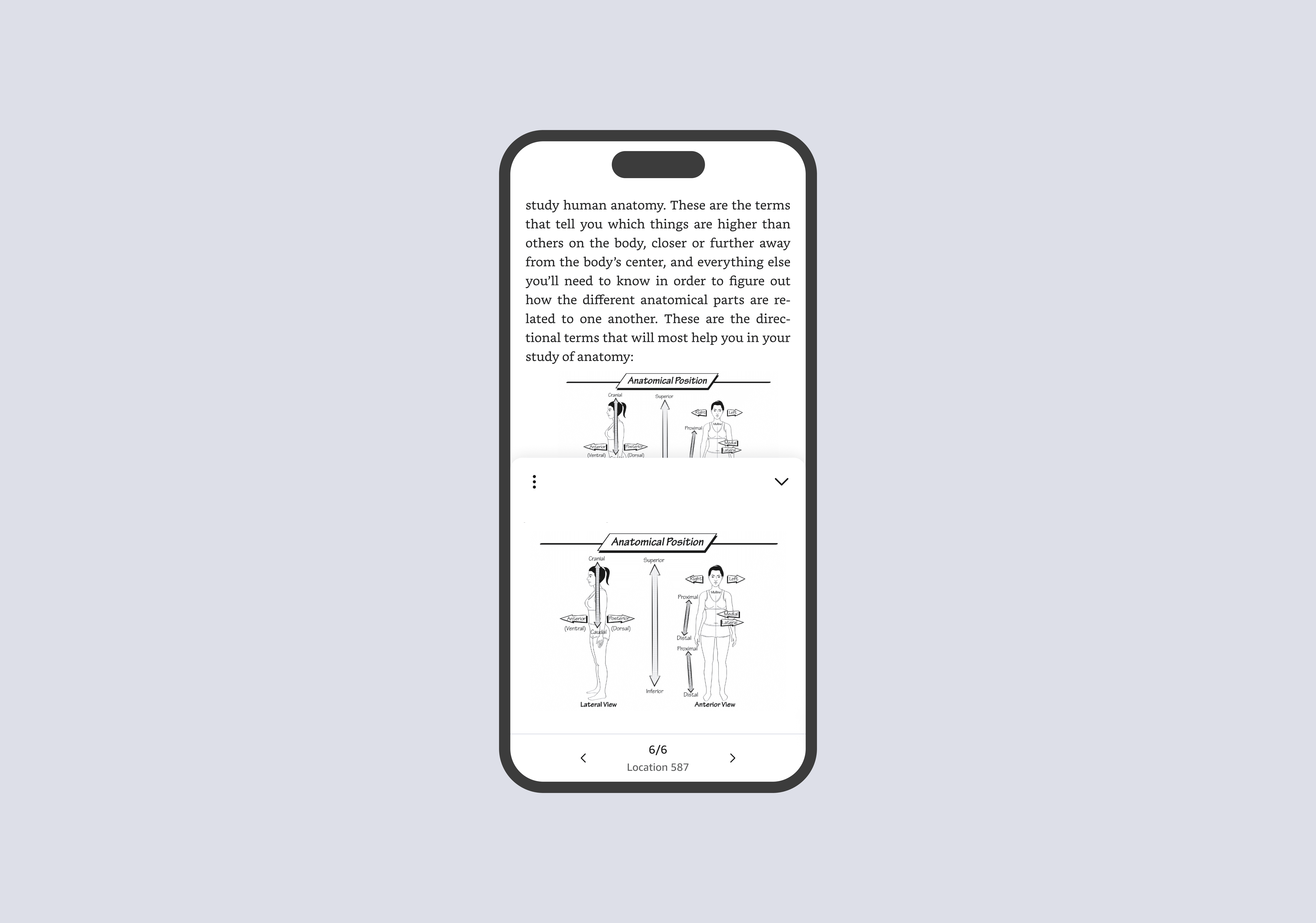
Overview
I led the design of a new interaction model for referencing content within Kindle, addressing a core gap in how readers navigate and retain information.
This work introduced a scalable framework for in context reference, shifting Kindle from a linear reading experience to one that supports non linear behaviors like studying, comparing, and revisiting content.
Partnering closely with product and engineering, I defined the product direction, drove alignment across teams, and translated an ambiguous problem space into a shippable experience used within the core reading flow.
The solution enabled readers to access and interact with referenced content without leaving the page, reducing disruption to reading flow and improving comprehension for high intent use cases like learning and research
Product Direction
Originated from a three-year product vision grounded in customer research and prioritized by leadership to evolve the Kindle reading experience.
Scalable Framework
Introduced a layered approach to in reading features, enabling new capabilities without disrupting the core experience.
User impact
446K+ users · 950K+ pins · 45% repeat usage · 56% engagement
Identifying the Opportunity
The problem space
Pinnable Content didn't start as a feature
It emerged from a broader effort to understand where the Kindle reading experience was breaking down for high-intent use cases like learning and reference. I led cross-functional discovery work to investigate gaps in how readers interacted with content, bringing together behavioral data, research insights, and product constraints to identify where existing tools were falling short.
What I uncovered
Referencing saved content required 6+ disconnected steps, forcing readers to exit the reading experience and navigate across multiple surfaces. These workflows were not only inefficient - they directly conflicted with how people actualy read.
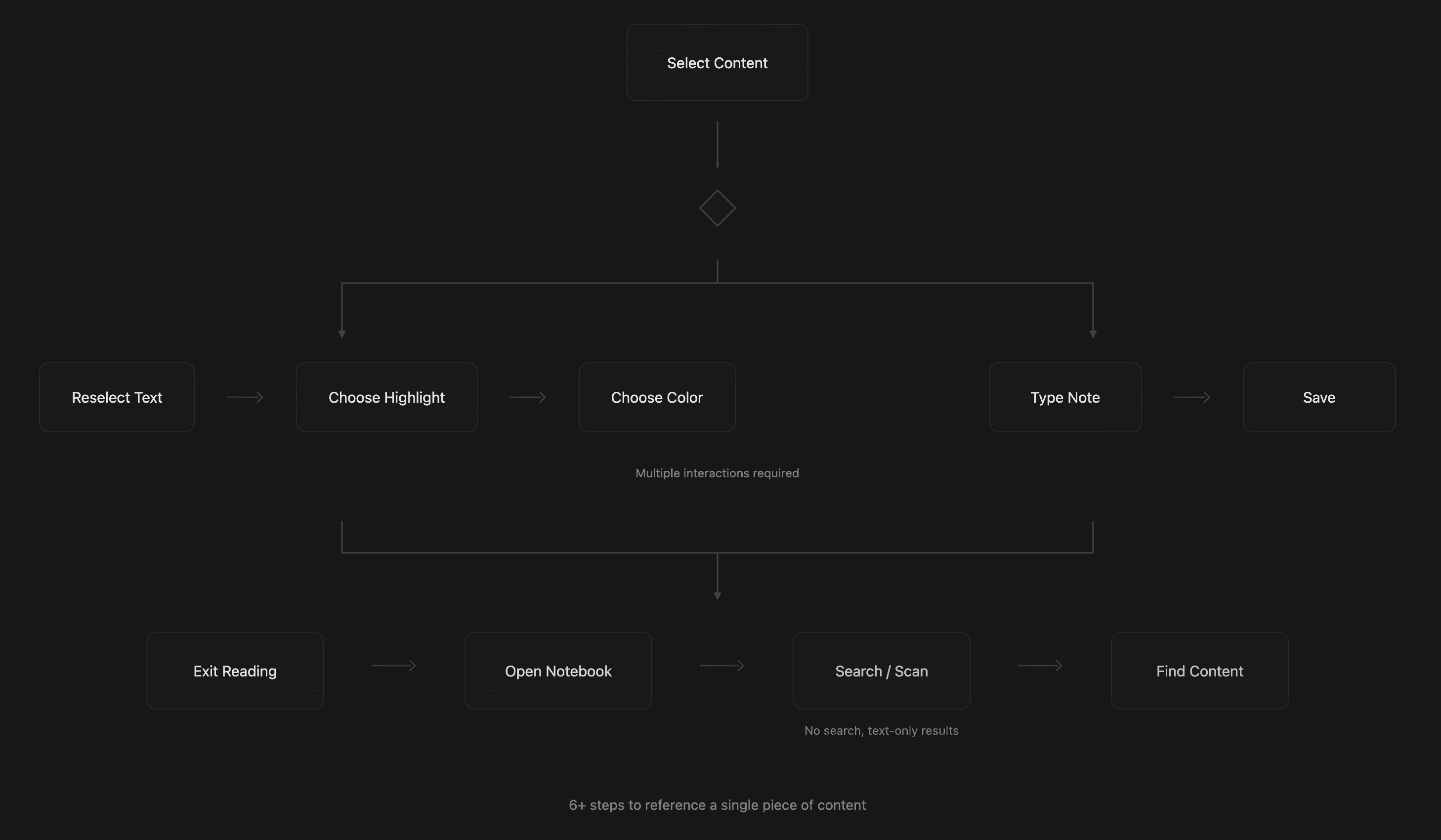
Readers were actually
01
Revisiting earlier sections
02
Comparing ideas across pages
03
Referencing diagrams and key passages in real time
Critical insight
Content was treated as something to save and retrieve later, rather than something to use in context, alongside the reading experience. This created a fundamental gap between how content was structured in the product and how readers actually needed to interact with it.
This reframed the problem entirely. Rather than improving highlights, notes, or bookmarks, the opportunity was to rethink how referencing worked at a system level.
The problem space
Pinnable Content didn't start as a feature
It emerged from a broader effort to understand where the Kindle reading experience was breaking down for high-intent use cases like learning and reference. I led cross-functional discovery work to investigate gaps in how readers interacted with content, bringing together behavioral data, research insights, and product constraints to identify where existing tools were falling short.
What I uncovered
Referencing saved content required 6+ disconnected steps, forcing readers to exit the reading experience and navigate across multiple surfaces. These workflows were not only inefficient - they directly conflicted with how people actualy read.
Readers were actually
01
Revisiting earlier sections
02
Comparing ideas across pages
03
Referencing diagrams and key passages in real time
Critical insight
Content was treated as something to save and retrieve later, rather than something to use in context, alongside the reading experience. This created a fundamental gap between how content was structured in the product and how readers actually needed to interact with it.
This reframed the problem entirely. Rather than improving highlights, notes, or bookmarks, the opportunity was to rethink how referencing worked at a system level.
How might we
How might we enable readers to reference content in context, without disrupting their reading flow?
How might we enable readers to reference content in context, without disrupting their reading flow?
Research
Research
Approach
→
Cross functional workshops
→
Behavioral analysis of reading and annotation patterns
→
Competitive analysis (e.g Apple Books, Notion, Google Docs, Netflix)
→
Customer interviews and surveys
→
Two rounds of usability testing
What we epxlored
Analyzing patterns across adjacent products revealed two key tensions: PiP patterns worked well for passive consumption where content is viewed at a glance, while interactive tools required stability and depth, especially when users needed to read, scroll or zoom.
Platforms like Notion and Apple Books demonstrated that users are comfortable with on-page tooling, so long as it enhances the primary task rather than distracting from it. This challenged an existing assumption within Kindle: that preserving a "reading sanctuary" required minimizing all on page UI.
What we learned from users
Content was treated as something to save and retrieve later, rather than something to use in context, alongside the reading experience. This created a fundamental gap between how content was structured in the product and how readers actually needed to interact with it.
Critical insight
Content was treated as something to save and retrieve later, rather than something to use in context, alongside the reading experience. This created a fundamental gap between how content was structured in the product and how readers actually needed to interact with it.
Research
Approach
→
Cross functional workshops
→
Behavioral analysis of reading and annotation patterns
→
Competitive analysis (e.g Apple Books, Notion, Google Docs, Netflix)
→
Customer interviews and surveys
→
Two rounds of usability testing
What we epxlored
Analyzing patterns across adjacent products revealed two key tensions: PiP patterns worked well for passive consumption where content is viewed at a glance, while interactive tools required stability and depth, especially when users needed to read, scroll or zoom.
Platforms like Notion and Apple Books demonstrated that users are comfortable with on-page tooling, so long as it enhances the primary task rather than distracting from it. This challenged an existing assumption within Kindle: that preserving a "reading sanctuary" required minimizing all on page UI.
What we learned from users
Content was treated as something to save and retrieve later, rather than something to use in context, alongside the reading experience. This created a fundamental gap between how content was structured in the product and how readers actually needed to interact with it.
Critical insight
Content was treated as something to save and retrieve later, rather than something to use in context, alongside the reading experience. This created a fundamental gap between how content was structured in the product and how readers actually needed to interact with it.
Ideation
Validating the interaction model
From overlays to a layered reading model
Early exploration focused on floating and anchored UI layered on top of reading. While these approaches improved visibility, they increased cognitive load and disrupted the reading experience.
This led to a fundamental shift: instead of placing features around reading, I introduced a layered model that integrates functionality into the reading experience itself, enabling new capabilities without competing with the core act of reading.
The pivot
We moved away from keeping content persistently visible and instead designed for on-demand interaction—allowing readers to engage deeply when needed without compromising the reading experience.
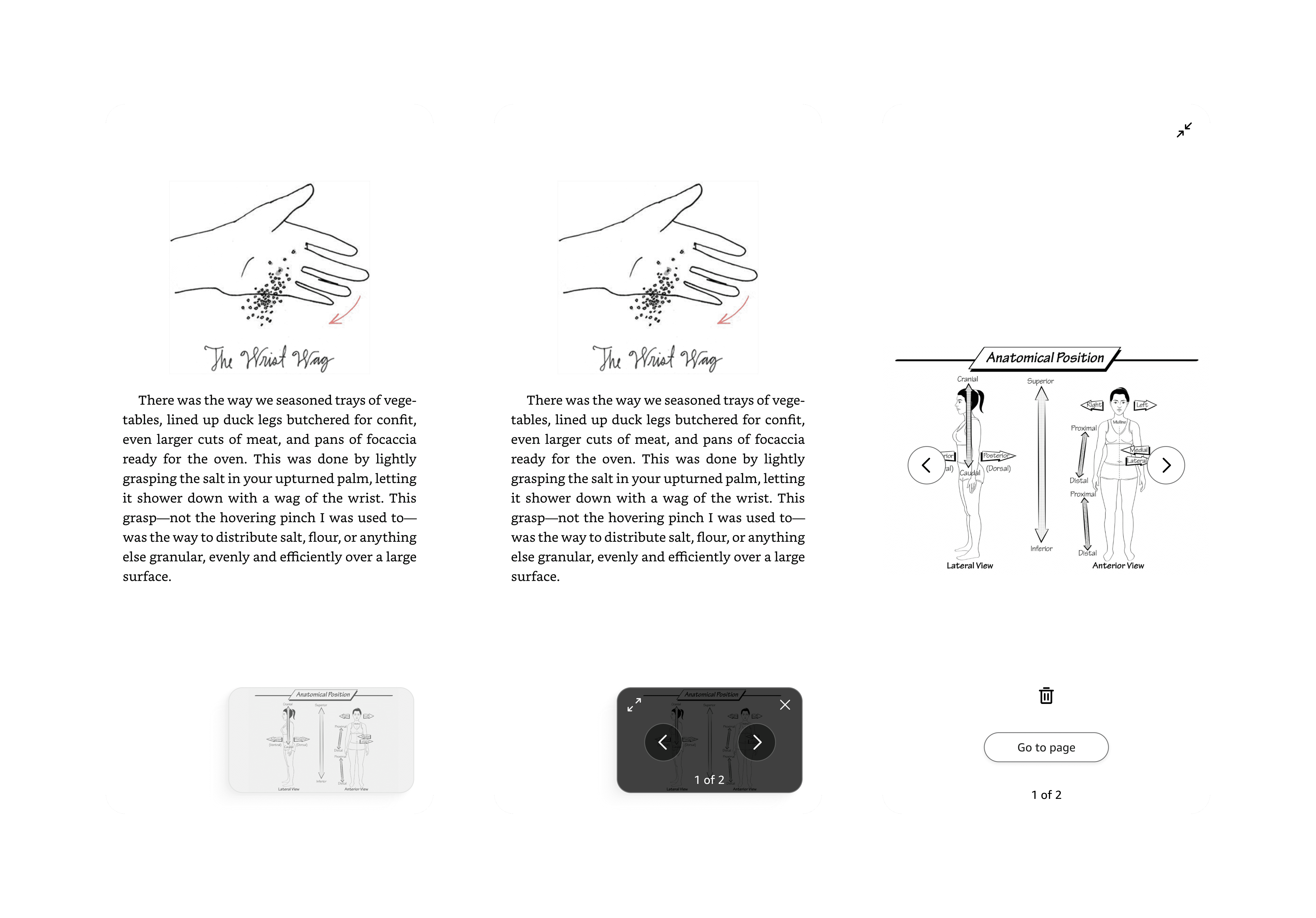
Iteration 01
Floating PiP Overlay
Pinned content floats above the page. Improved visibility but created gesture complexity, cognitive load, and overlapping interactions. Favored glancing, not deeper interaction.
Improved visibility, increased complexity
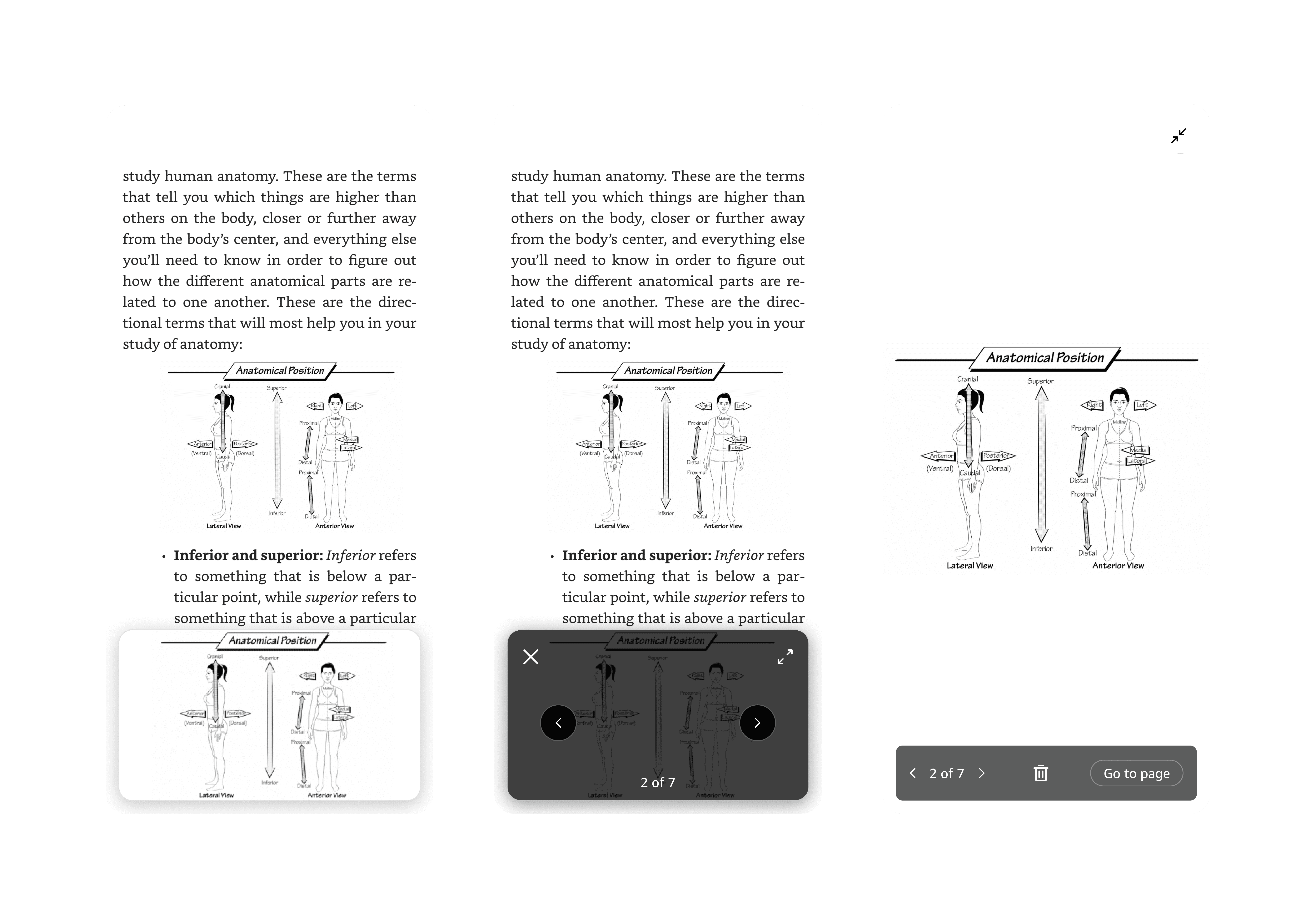
Iteration 02
Anchored Model
Content anchored to a fixed panel. Better than floating but over-engineered for a minimum loveable product. Too much interface for the initial launch scope.
Anchored model, over-engineered for MLP
Iteration 03
Layered Model
A lightweight, dismissible layer that expands on demand. Keeps the interface minimal until needed, then enables full interaction. Easily dismissed to return to reading.
Balanced interaction model (MLP)
Validating the interaction model
From overlays to a layered reading model
Early exploration focused on floating and anchored UI layered on top of reading. While these approaches improved visibility, they increased cognitive load and disrupted the reading experience.
This led to a fundamental shift: instead of placing features around reading, I introduced a layered model that integrates functionality into the reading experience itself, enabling new capabilities without competing with the core act of reading.
The pivot
We moved away from keeping content persistently visible and instead designed for on-demand interaction—allowing readers to engage deeply when needed without compromising the reading experience.
Iteration 01
Floating PiP Overlay
Pinned content floats above the page. Improved visibility but created gesture complexity, cognitive load, and overlapping interactions. Favored glancing, not deeper interaction.
Improved visibility, increased complexity
Iteration 02
Anchored Model
Content anchored to a fixed panel. Better than floating but over-engineered for a minimum loveable product. Too much interface for the initial launch scope.
Anchored model, over-engineered for MLP
Iteration 03
Layered Model
A lightweight, dismissible layer that expands on demand. Keeps the interface minimal until needed, then enables full interaction. Easily dismissed to return to reading.
Balanced interaction model (MLP)
What this meant
This work established a layered model for reading, enabling new features to integrate seamlessly without disrupting the core experience.
This work established a layered model for reading, enabling new features to integrate seamlessly without disrupting the core experience.
Final solution
Pinnable Content
Reference in context. No page exits.
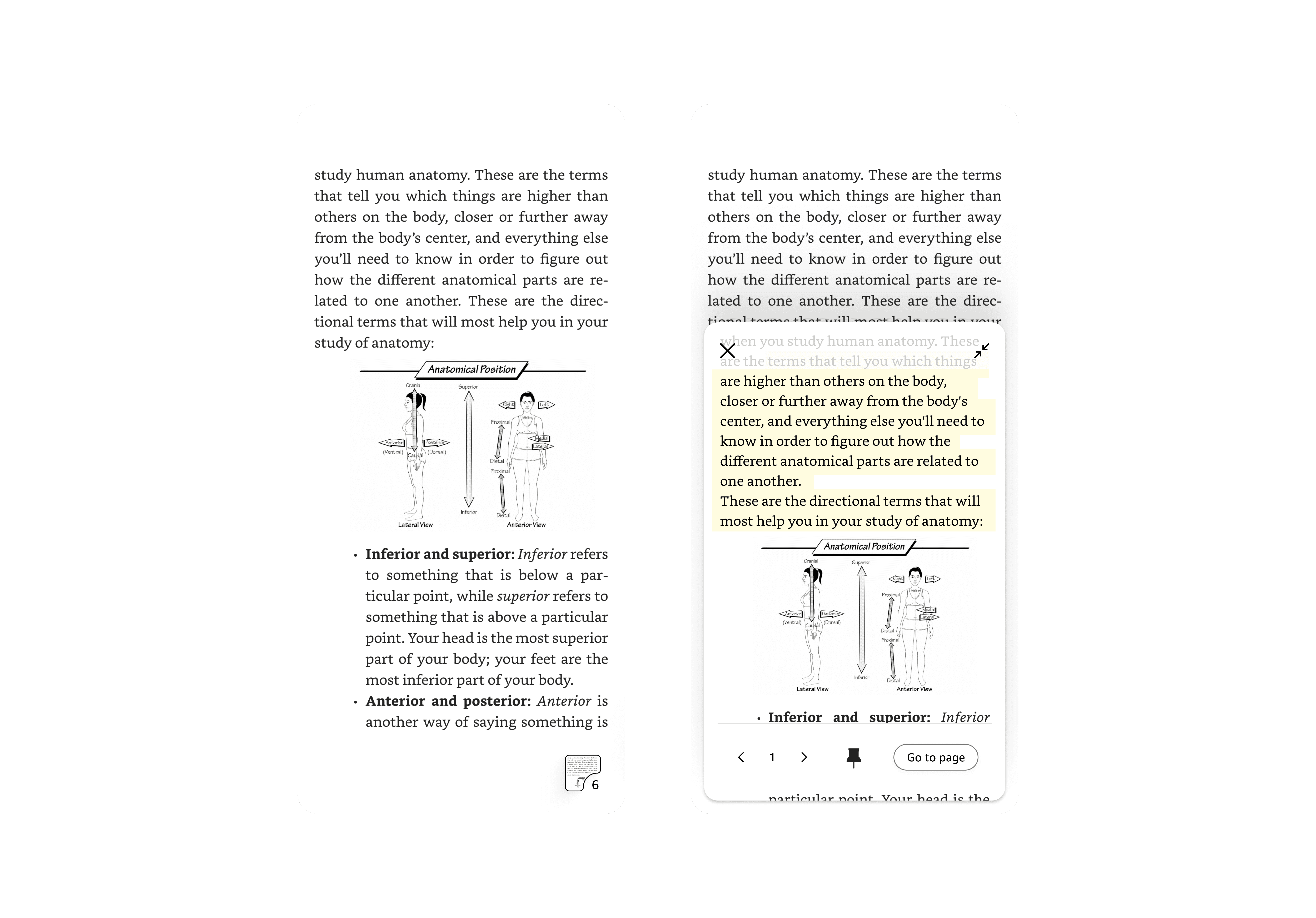
Pinnable Content introduces a new interaction model that allows readers to reference content without leaving the page. Instead of navigating to saved highlights or notes, readers can bring relevant content into view and interact with it directly within the reading experience.
How it works
→
Collapsed, anchored entry point keeps the experience lightweight and unobtrusive
→
Expanding reveals a dedicated interaction layer for pinned content
→
Readers can scroll, zoom and explore content without navigating away
→
The interaction is easily dismissible, returning seamlessly to the reading experience
Supports real reading behavior
Readers can reference and engage with content without breaking flow or losing context
Balances simplicity and depth
The interface stays out of the way until needed, then enables deeper interaction
Reduces cognitive load
Removing floating elements and complex gestures creates a more predictable, stable experience
Pinnable Content
Reference in context. No page exits.
Pinnable Content introduces a new interaction model that allows readers to reference content without leaving the page. Instead of navigating to saved highlights or notes, readers can bring relevant content into view and interact with it directly within the reading experience.
How it works
→
Collapsed, anchored entry point keeps the experience lightweight and unobtrusive
→
Expanding reveals a dedicated interaction layer for pinned content
→
Readers can scroll, zoom and explore content without navigating away
→
The interaction is easily dismissible, returning seamlessly to the reading experience
Supports real reading behavior
Readers can reference and engage with content without breaking flow or losing context
Balances simplicity and depth
The interface stays out of the way until needed, then enables deeper interaction
Reduces cognitive load
Removing floating elements and complex gestures creates a more predictable, stable experience
Pinnable Content
Pinnable Content fundamentally changed
how readers interact with information.
Instead of navigating away to manage saved content, readers could engage with it directly — leading to deeper interaction, higher retention and new reading behaviors.
Pinnable Content
Pinnable Content fundamentally changed
how readers interact with information.
Instead of navigating away to manage saved content, readers could engage with it directly — leading to deeper interaction, higher retention and new reading behaviors.
950k+
Pins created
45%
Repeat usage after first pin
56%
Pin interaction rate
What this means
These metrics show that readers didn’t just save content, they actively used it.
Referencing became part of the reading experience, supporting behaviors like studying, comparing ideas, and revisiting key information without breaking flow.
Product impact
Established a new interaction model for in-book experiences
Influenced broader investment in interactive and AI-powered reading features
Helped shift Kindle from linear consumption → active engagement
Drove alignment on multi-year product vision and direction
Testimonials
Hear it from our customers..
"This is the best new feature in a long time. I’m always hunting for my bookmarks for pronunciation guides, glossaries, maps, etc., especially for fantasy books. I love this! You can even zoom in on images right within the pop up"

Reddit User
1.6K upvotes · 134 comments
"I’m following a Bible reading plan that includes one chapter from the Old Testament and one chapter from the New Testament each day, I started using the pin feature to make it easier to hop back-and-forth. I really appreciate it, and your post gives me hope that there are other uses for it that I haven’t even imagined."
Reddit User
89 upvotes · 4 comments
"Well as a avid historical fiction and fantasy reader this is a game changer lol. Had always to go back so I just preferred to read those books in paper form. Very nice."
Reddit User
94 upvotes · 13 likes
"This pin feature is truly a game changer. I usually take a photo on my phone of any maps I need to reference and just pull them up when I need to picture the area the author is referencing."
Reddit User
40 upvotes
What I learned from this project
Breaking and rebuilding is part of the process
Some of the most important progress came from stepping back and rethinking the approach entirely. Letting go of early directions made space for a stronger, more intentional solution.
Breaking and rebuilding is part of the process
Some of the most important progress came from stepping back and rethinking the approach entirely. Letting go of early directions made space for a stronger, more intentional solution.
Breaking and rebuilding is part of the process
Some of the most important progress came from stepping back and rethinking the approach entirely. Letting go of early directions made space for a stronger, more intentional solution.
There’s no substitute for real user feedback
Assumptions only go so far. It wasn’t until we saw how people actually used the experience that the right direction became clear.
There’s no substitute for real user feedback
Assumptions only go so far. It wasn’t until we saw how people actually used the experience that the right direction became clear.
Your first idea is rarely the right one
Your first idea is rarely the right one
Your first idea is rarely the right one
Your first idea is rarely the right one